Bypass Safe Attachments Policy
Bypass Safe Attachment Processing of M365 Advanced Threat Protection.
- Log into the Microsoft 365 Admin Center
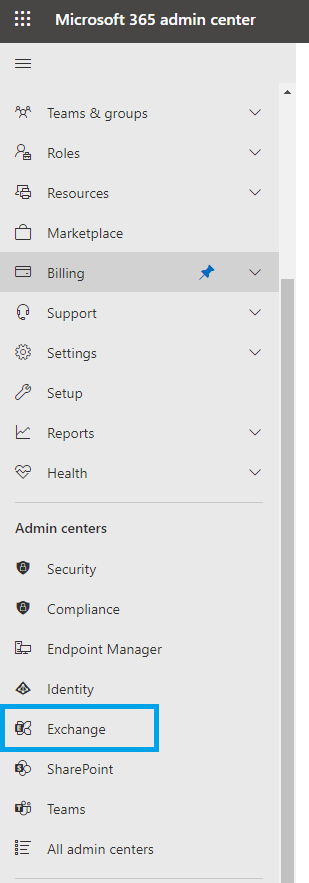
- Head to the Exchange Admin Center
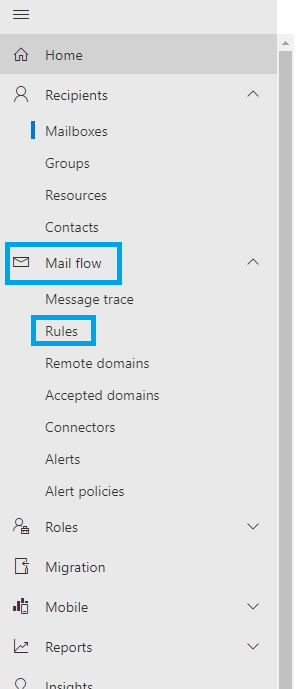
- Select “Mail flow” to expand the settings menu then select “Rules”.
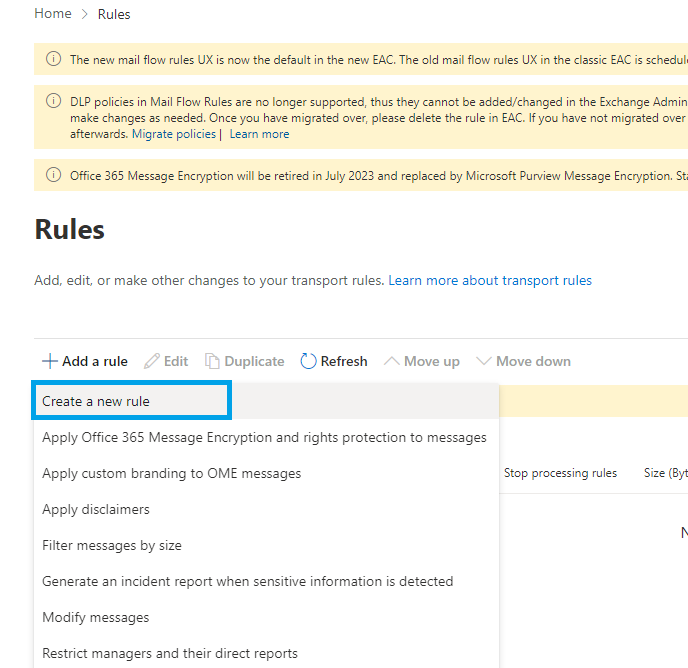
- Click add rule > Create new rule
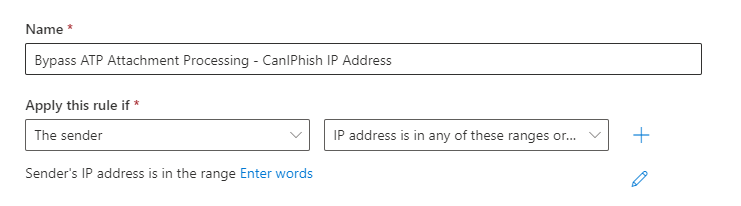
- Give the rule a name, e.g. “Bypass ATP Attachment Processing - IP Address.”
- Under “Apply this rule if” select “The Sender…” > “If IP address is in any of these ranges or exactly matches”
- Under “Do the following” select “Modify the message properties…” > “set a message header”. 8.Edit the properties of this by selecting the “Enter text” buttons:

Use the following entries:
Set the message header to “X-MS-Exchange-Organization-SkipSafeAttachmentProcessing” and set the value to “1”.
Create the rule and set to enforce.
Last updated on